OpenFront Mobile App and Download
Official mobile route: openfront.io in a browser. No APK required.
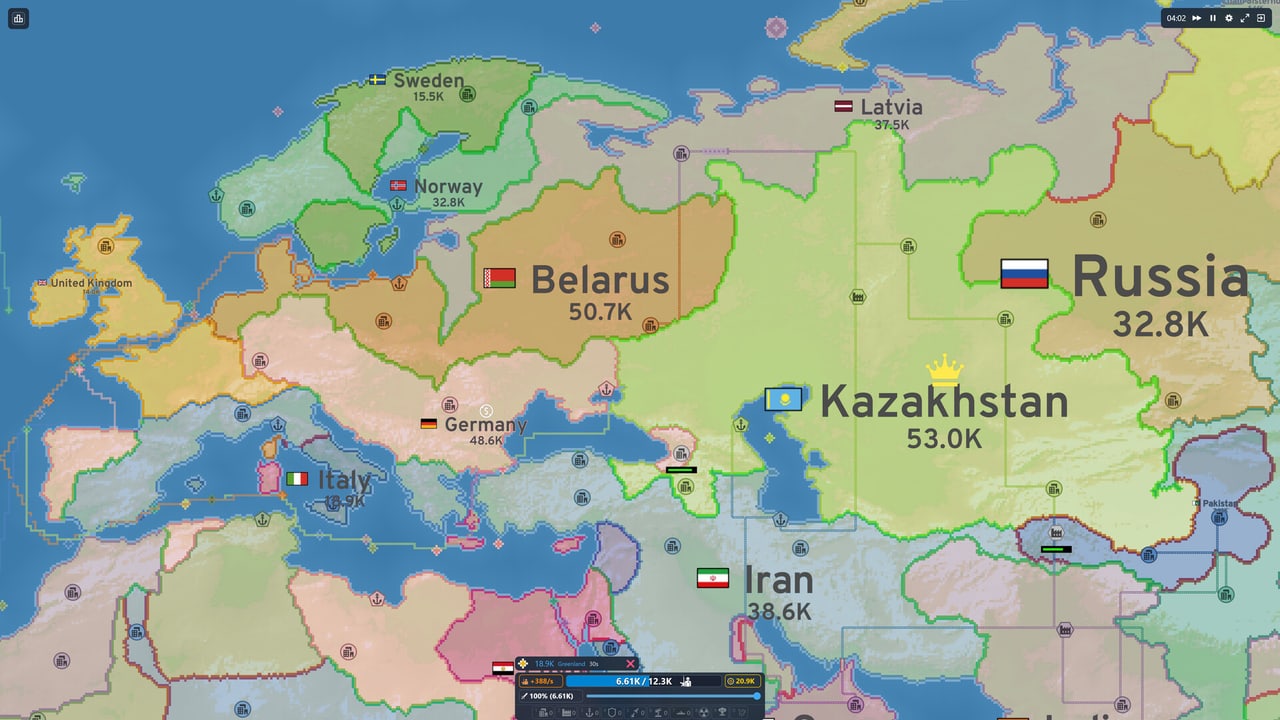
Direct answer
OpenFront’s current official mobile route is the game at openfront.io in a modern browser; the official v0.33.14 release provides no APK download.
The official v0.33.14 Release on GitHub has no attached downloadable assets. It does not offer an Android package, an iPhone App Store package, or a separate mobile installer. The official README describes browser-based, cross-platform play as the intended delivery method.
Open the official site directly instead of searching for an APK mirror. A third-party file can reuse the OpenFront name without being an official build. Using an unofficial APK means playing a game that may have modified rules, different server endpoints, or no connection to the actual OpenFront player base.
Why browser-based mobile is the official route
OpenFront runs in any modern browser without installation. This means:
- No app store review delays or platform approval requirements
- Instant access to new features as soon as they deploy
- No storage space needed on your device
- No sideloading or developer mode required on Android
- Identical game rules to desktop players
The browser client handles touch input, screen scaling, and mobile-specific interface adjustments. You are playing the same game as desktop users, with the same rules, the same servers, and the same player community.
What “Add to Home Screen” does
On iOS, OpenFront’s interface tells players whose browser cannot enter fullscreen to use Add to Home Screen. Opening from the Home Screen launches fullscreen without the address bar.
This creates a launcher icon for the website on your home screen. It is not evidence of an App Store build, and it does not replace the web client with a different rules engine or a separate server backend.
To use Add to Home Screen:
- Start in Safari on your iOS device
- Navigate to openfront.io
- Open the browser’s Share menu (the square with an upward arrow)
- Scroll down and choose Add to Home Screen
- Tap Add in the top right corner
- Launch the new icon from your home screen
Android browsers may also offer an install or home-screen shortcut, but the exact label varies by browser. Chrome on Android typically shows “Add to Home screen” in its menu. Samsung Internet and Firefox have similar options under different names.
Browser compatibility
OpenFront works in the following mobile browsers:
- Safari on iOS 15 and later
- Chrome on Android 10 and later
- Samsung Internet on Android 10 and later
- Firefox on Android 10 and later
- Edge on Android 10 and later
For the best experience, use the most recent version of your browser. Older browsers may have reduced performance or missing features.
Mobile interface overview
The mobile browser client adapts the game interface for touch input:
- The radial build menu opens with a long-press on valid tiles
- Pan and zoom work with standard touch gestures
- The attack ratio slider appears in the unit bar when a unit is selected
- Unit selection works by tapping units on the map or in the unit bar
For detailed gesture instructions, read the mobile controls guide. For getting started advice, read the first-match guide.
Steam Early Access on mobile
Steam Early Access starts 17 September 2026 for Windows, macOS, Linux, and Steam Deck. This is a desktop client, not a mobile app. The browser stays free.
The Steam client will offer offline play, native keyboard controls, and potential graphics settings that browsers cannot access. It will not replace the web client or introduce different game rules for Steam players.
Evidence checked
The following sources were verified for this page:
- Official game: the live browser destination, which links to r/OpenFront and discord.gg/openfront in its footer
- Tagged README: describes browser-based, cross-platform play as the intended delivery method
- Official v0.33.14 Release: formal current release with no attached APK asset, confirming no downloadable mobile package
Mobile versus desktop
Playing on mobile has these practical differences from desktop:
- No physical keyboard for hotkeys 1-0; use the radial menu instead
- Slightly more tap precision required for border attacks
- Portrait mode works but landscape gives more map visibility
- Touch zoom and pan replace mouse wheel and edge panning
- The interface adapts automatically; no settings adjustment needed
For a comparison with other mobile strategy games, read the mobile alternatives guide. For community discussions and support, read the mobile community guide.
Frequently Asked Questions
Quick answers to the most common OpenFront questions.
Is there an OpenFront APK download?
No. The official v0.33.14 release has no APK. The official mobile route is openfront.io in a browser.
Can I play OpenFront offline on mobile?
No. OpenFront requires an internet connection to play. There is no offline mode for the browser client.
How do I make OpenFront look like an app on my phone?
Use Add to Home Screen in Safari (iOS) or your browser's install shortcut (Android). This creates a launcher icon but does not install a separate app.
Is a mobile app coming?
Steam Early Access on 17 September 2026 mentions further mobile app optimization as a funding goal. Check openfront.io for announcements.
Do I need Steam to play on mobile?
No. Play for free at openfront.io. Steam Early Access is a desktop client for Windows, macOS, Linux, and Steam Deck.
Why should I avoid third-party APK files?
Third-party APKs may contain modified game code, different server connections, or no connection to real players. Only openfront.io in a browser guarantees the official game.
Does mobile have different game rules than desktop?
No. The browser client is the same game with the same rules, servers, and player base, adapted for touch input.
Can I use Bluetooth keyboard on mobile?
Some mobile browsers may recognize external keyboards, but hotkey support is not officially documented for mobile. Use the radial menu for building and unit selection instead.